
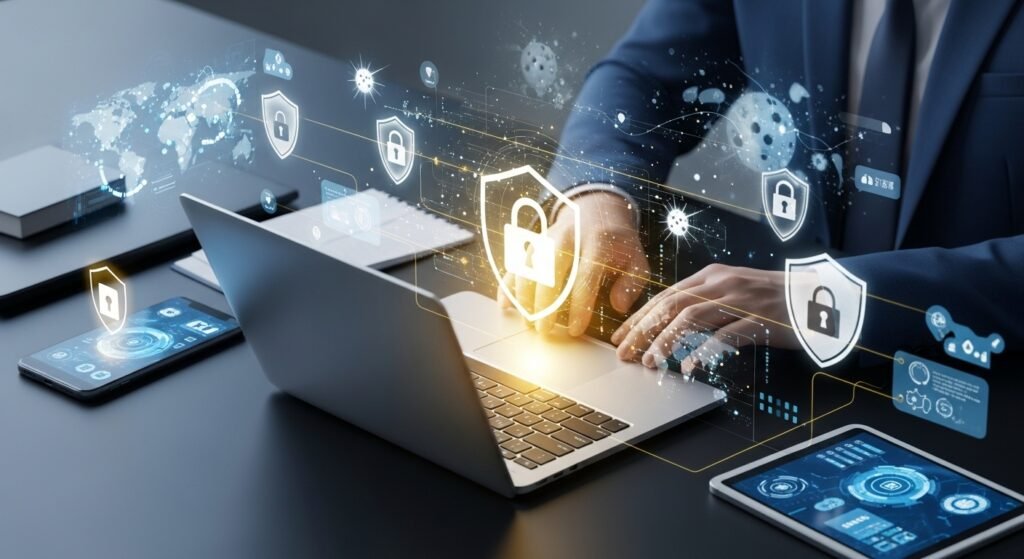
Staying safe online is not a choice anymore. It’s a must-have skill. You need it for your privacy, financial security and job reputation. With over 5 billion people on the internet and cyber threats changing fast you face potential attacks every day. You could get caught by emails made with AI deepfake scams or ransomware that targets you or your business. One wrong click can lead to someone stealing your identity breaking into your data or losing money.
Whether you are new to all this and just want to protect your social media accounts or you are a pro handling client data this guide has practical tips that work. You will learn about threats, how to protect yourself step by step what tools to use, advanced techniques, best practices and real-life examples. By following this plan you can lower your risk a lot. Still be in control of your online life. Keeping yourself and your work safe is everyones responsibility. Governments, tech companies and security experts all agree: doing things ahead of time is better, than fixing problems. Lets build your safety system today.
Why Online Safety Matters More Than Ever
The scale of cybercrime has exploded. Global losses from cyber incidents are projected to exceed $10 trillion annually, with individuals and small businesses bearing a growing share. Key drivers include:
- AI-Enhanced Attacks: Criminals now use generative AI to create convincing phishing emails, voice clones, and deepfake videos in seconds.
- Expanded Attack Surface: Remote work, smart homes, IoT devices, and cloud services have multiplied entry points for hackers.
- Data Privacy Regulations: Laws like GDPR, CCPA, and newer 2026 global standards impose heavy fines for breaches, making personal vigilance essential.
- Rising Personal Impact: A single breach can lead to identity theft, job loss, or reputational damage — especially for professionals whose LinkedIn or email is targeted.
The good news? Most attacks are preventable with basic-to-advanced habits that take only minutes to implement.
The Top Online Threats You Must Know in 2026
Understanding the enemy is the first step to defense:
- Phishing and Social Engineering – Still the #1 vector; now includes AI-generated voice calls and hyper-personalized messages.
- Ransomware – Encrypts your files and demands payment; increasingly targets personal devices via email attachments or malicious links.
- Credential Stuffing and Password Attacks – Hackers test stolen passwords across thousands of sites.
- Malware and Spyware – Delivered through fake apps, malicious ads, or compromised websites.
- Deepfakes and AI Scams – Fake videos or audio used for impersonation fraud.
- Public Wi-Fi and Man-in-the-Middle Attacks – Data interception on unsecured networks.
- Data Breaches and Account Takeovers – Your information sold on the dark web.
- IoT and Smart Device Vulnerabilities – Cameras, thermostats, and routers often left unsecured.
Professionals face additional risks: corporate espionage, supply-chain attacks, and targeted spear-phishing.
Step-by-Step Guide: Build Your 2026 Online Safety System
Step 1: Secure Your Foundation (Passwords and Authentication)
- Use a reputable password manager (Bitwarden, 1Password, or LastPass) to generate and store unique, complex passwords for every account.
- Enable passkeys wherever available — they replace passwords with cryptographic keys and are phishing-resistant.
- Turn on multi-factor authentication (MFA) or preferably passkey + authenticator app (avoid SMS if possible, as it can be intercepted).
Step 2: Protect Your Devices and Software
- Keep every device, app, and operating system updated automatically — patches close known vulnerabilities.
- Install reputable antivirus/anti-malware software with real-time protection (examples below).
- Use full-disk encryption (BitLocker on Windows, FileVault on macOS).
- Enable automatic backups to the cloud (encrypted) or external drives — follow the 3-2-1 rule (3 copies, 2 media types, 1 offsite).
Step 3: Browse and Communicate Safely
- Use a privacy-focused browser (Mozilla Firefox or Brave) with tracker blockers.
- Install browser extensions: uBlock Origin (ad/malware blocker), HTTPS Everywhere, and Privacy Badger.
- Never click suspicious links — hover to check URLs or use link scanners like VirusTotal.
- Verify sender identities before opening attachments or sharing data.
Step 4: Safeguard Your Personal Information
- Review and tighten privacy settings on social media, email, and cloud services.
- Use a VPN (Virtual Private Network) on all public or untrusted networks — top choices listed below.
- Limit personal data shared online; use aliases or temporary email services (ProtonMail, SimpleLogin) for sign-ups.
- Monitor your digital footprint with tools like Have I Been Pwned? and credit monitoring services.
Step 5: Handle Financial and Professional Transactions
- Use virtual credit cards or privacy-focused payment services for online purchases.
- Enable transaction alerts and two-factor approval on banking apps.
- For professionals: Use separate work and personal devices/accounts; employ enterprise-grade tools like endpoint detection and response (EDR).
Step 6: Educate Yourself and Stay Updated
- Make cybersecurity awareness a habit — follow trusted sources ( Krebs on Security, BleepingComputer, official government alerts).
- Conduct monthly “security audits” of your accounts and devices.
Essential Tools and Services
Password Managers
- Bitwarden (open-source, free tier)
- 1Password (excellent family and team plans)
VPNs (choose no-logs, audited providers)
- ExpressVPN
- Mullvad
- Proton VPN (strong privacy focus)
Antivirus / Security Suites
- Microsoft Defender (built-in and highly effective in 2026)
- Bitdefender or Malwarebytes for advanced protection
Privacy & Monitoring Tools
- Proton suite (Mail, Drive, VPN)
- Have I Been Pwned?
- Signal or Session for encrypted messaging
Browser Extensions
- uBlock Origin
- Bitwarden autofill
- ClearURLs
For professionals: Consider managed security platforms like CrowdStrike or SentinelOne for business devices.
Advanced Techniques for Professionals and Power Users
- Implement zero-trust architecture principles even for personal use (verify every connection).
- Use hardware security keys (YubiKey) for the highest level of MFA.
- Set up a dedicated “security operations” routine: weekly dark-web scans and automated alerts.
- For businesses or freelancers: Adopt secure file-sharing (Tresorit or Proton Drive) and encrypted email.
- Learn basic threat hunting — tools like OSINT frameworks can help you check if your data has leaked.
Best Practices That Make the Biggest Difference
- Assume Everything Is a Potential Threat — verify before you trust.
- Least Privilege Principle — give apps and accounts only the access they need.
- Regular Security Hygiene — change default router passwords, disable unused services, and review app permissions quarterly.
- Backup Religiously — test restores to ensure they work.
- Use Strong, Unique Credentials Everywhere — no reuse.
- Educate Family and Colleagues — share simple rules with loved ones.
- Stay Informed Without Panic — follow curated newsletters rather than sensational headlines.
Common Mistakes That Get People Hacked
- Reusing passwords across sites.
- Clicking “I agree” without reading terms.
- Ignoring software update prompts.
- Using public Wi-Fi without a VPN.
- Falling for urgency-based scams (“Your account will be suspended!”).
- Sharing too much personal information on social media.
- Believing “it won’t happen to me.”
Real-World Success Stories and Lessons
Many people avoided losses by taking some simple steps. A freelance consultant stopped a ransomware attack by recognizing an email made by artificial intelligence and choosing not to open the file attached to it. This consultant was using sense to protect their work.
A small business owner who used Bitwarden and a VPN was able to recover from a leak of login information because they did not use the same password for multiple accounts. These were not just moments. They happened because of regular good practices. The key, to their success was following these steps consistently.
Conclusion
Staying safe on the internet is not that hard. You do not need to be a computer expert or spend a lot of money on software. What you need is to be aware of what’s going on use the right tools and get into good habits that you do every day. Start with three things: turn on multi factor authentication everywhere get a password manager and turn on automatic updates. If you do these things you will be safer in one week. If you keep doing them you will feel like a professional at staying safe in just one month. Your online life is very important. It is worth protecting. If you think of online safety as a skill like being good with money or managing your time you will be able to protect your private information, your money, your job and you will be able to relax. The internet is still a way to meet people learn new things and find opportunities. If you follow the tips, in this guide you can use the internet and all its benefits without worrying much about the risks of online safety and the internet.