
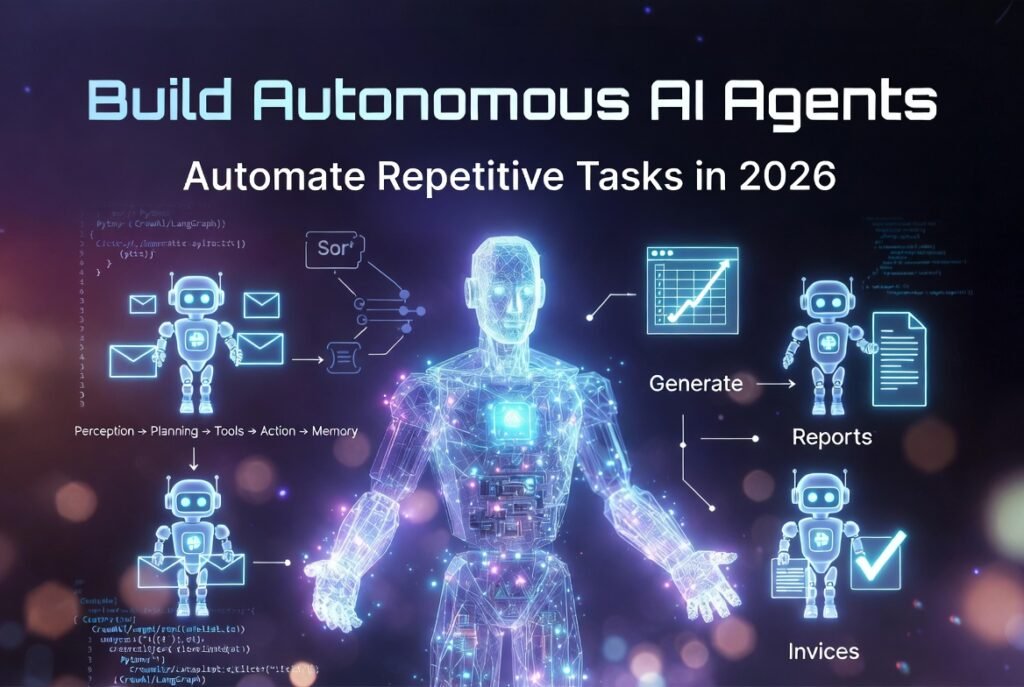
Why Autonomous AI Agents Are a Game-Changer for Repetitive Work
Repetitive tasks like sorting emails, generating reports, scraping competitor data, or updating spreadsheets still take up a lot of time every week for most professionals and teams.
AI agents have become really good at doing tasks on their own. They can plan, make decisions, use tools, and work independently until the job is finished.
These AI agents are not just scripts or basic automations. They use language models, memory, tools, and decision-making processes to handle uncertain situations, adapt quickly, and give consistent results.
The market for AI agents is already worth $9 billion and is growing by 46% every year.
If you are a developer, automation specialist, or business owner who is tired of doing tasks, this guide will show you how to build AI agents. You can choose to build them with no code or with control using Python.
Here is what you will learn:
- The core parts of AI agents that are ready for use
- The best frameworks in 2026, such as LangGraph, CrewAI, and AutoGen
- A step-by-step process to build AI agents with code that you can copy and paste
- Real-life examples of tasks
- Best practices for making AI agents reliable, cost-effective, and secure
What Are Autonomous AI Agents?
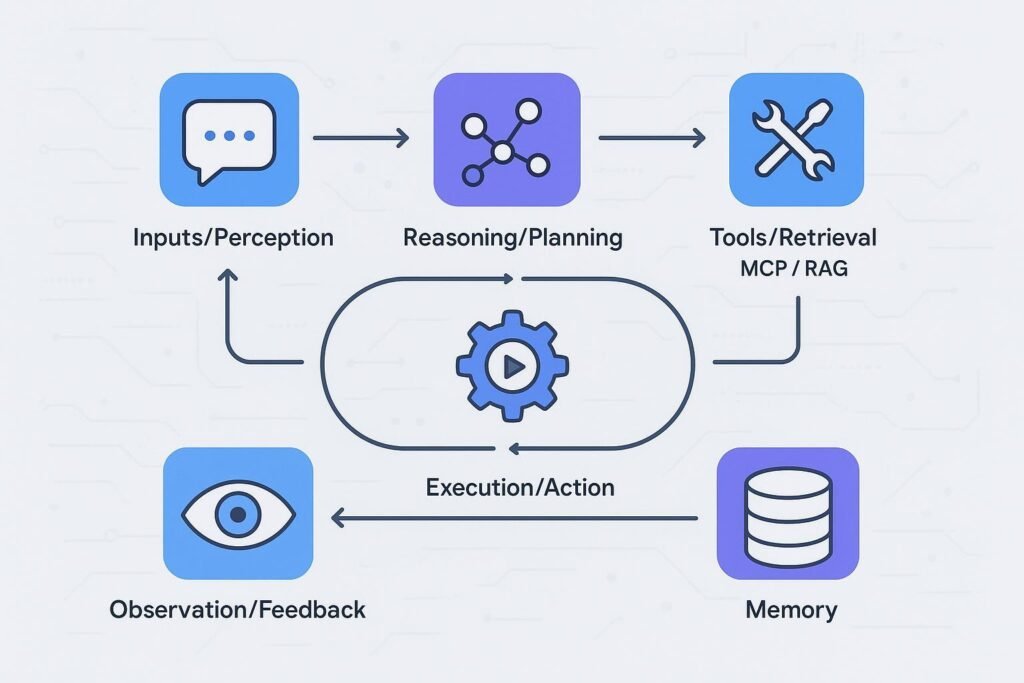
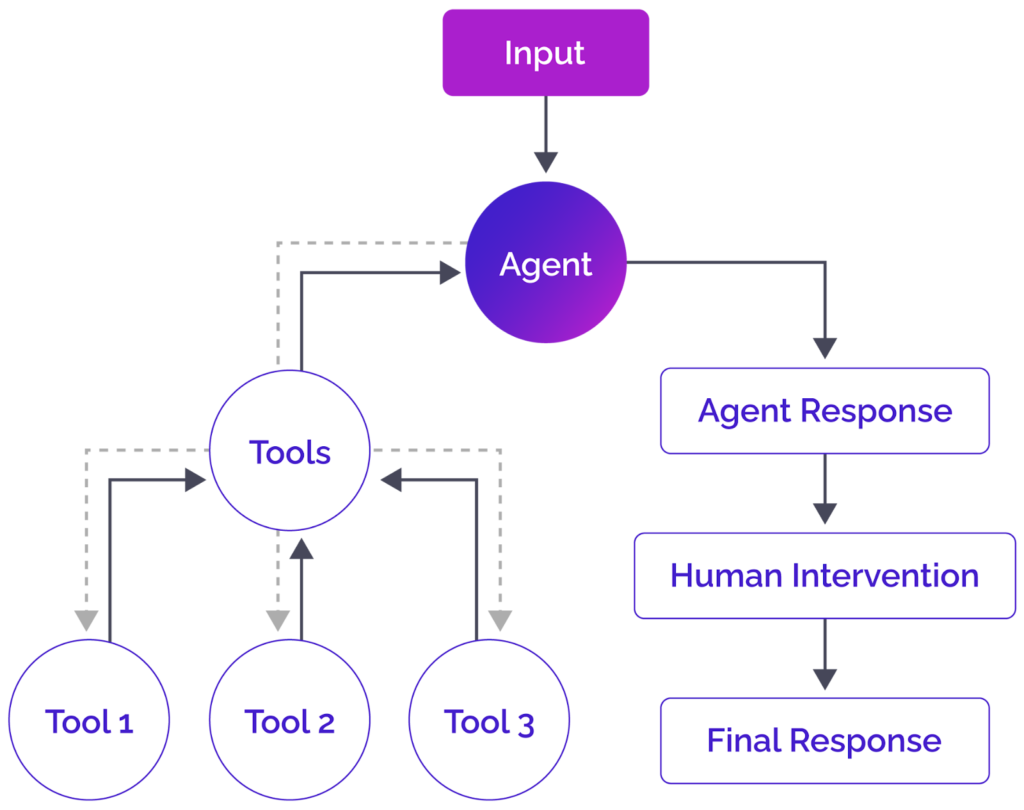
An autonomous AI agent is a software system that:
1 -Perceives inputs (user requests, data, APIs),
2 -Reasons and plans next steps,
3 -Uses tools (web search, databases, email, spreadsheets),
4 -Acts and observes results,
5 -Loops until the goal is achieved,
6 -Remembers context for future runs.
Benefits of Using AI Agents for Repetitive Tasks
Time savings: Automate 5–20 hours/week per person
Consistency: Zero human error on routine processes
Scalability: One agent can handle thousands of tasks daily
Cost efficiency: Cheaper than hiring for repetitive roles
24/7 operation: Runs while you sleep
Real-world repetitive tasks agents excel at:
Daily/weekly research reports
Email classification and drafting replies
Invoice data extraction + bookkeeping
Social media monitoring and content curation
Lead qualification and CRM updates
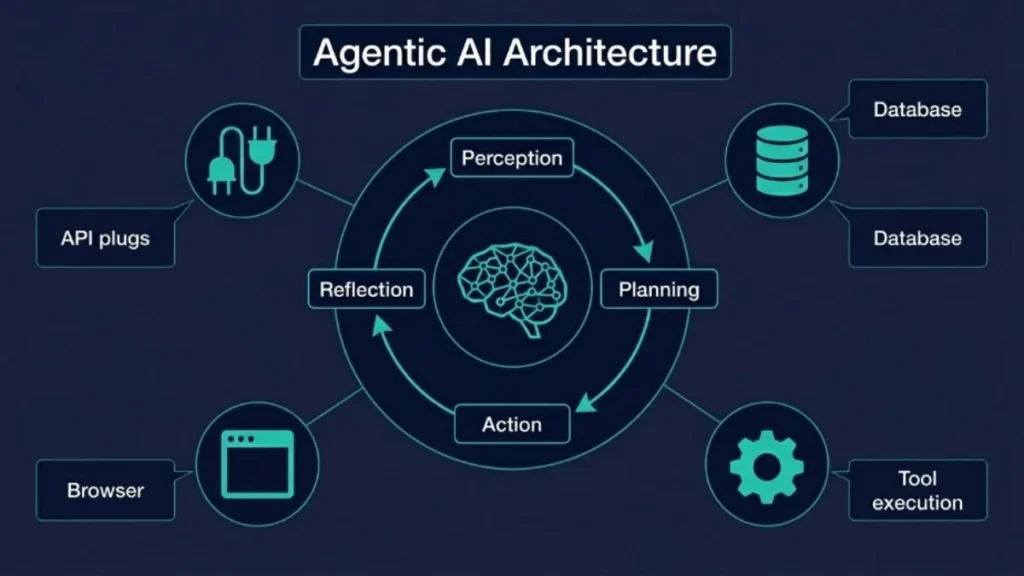
Key Components of a Production-Ready AI Agent
| Component | Purpose | Tools/Examples |
|---|---|---|
| LLM Brain | Reasoning & planning | GPT-4o, Claude 3.5/4, Grok, Llama 4 |
| Memory | Short-term + long-term context | Vector stores (Pinecone, Chroma), entity memory |
| Tools | External actions | Web search, APIs, file I/O, email |
| Orchestration | Decision loop & state management | LangGraph, CrewAI Flows |
| Guardrails | Safety, validation, human fallback | NeMo Guardrails, Pydantic |
Choosing the Right Framework
Top recommendations based on real production use:
- LangGraph (LangChain ecosystem) – Best for complex, stateful, branching workflows. Enterprise favorite for auditability and control.
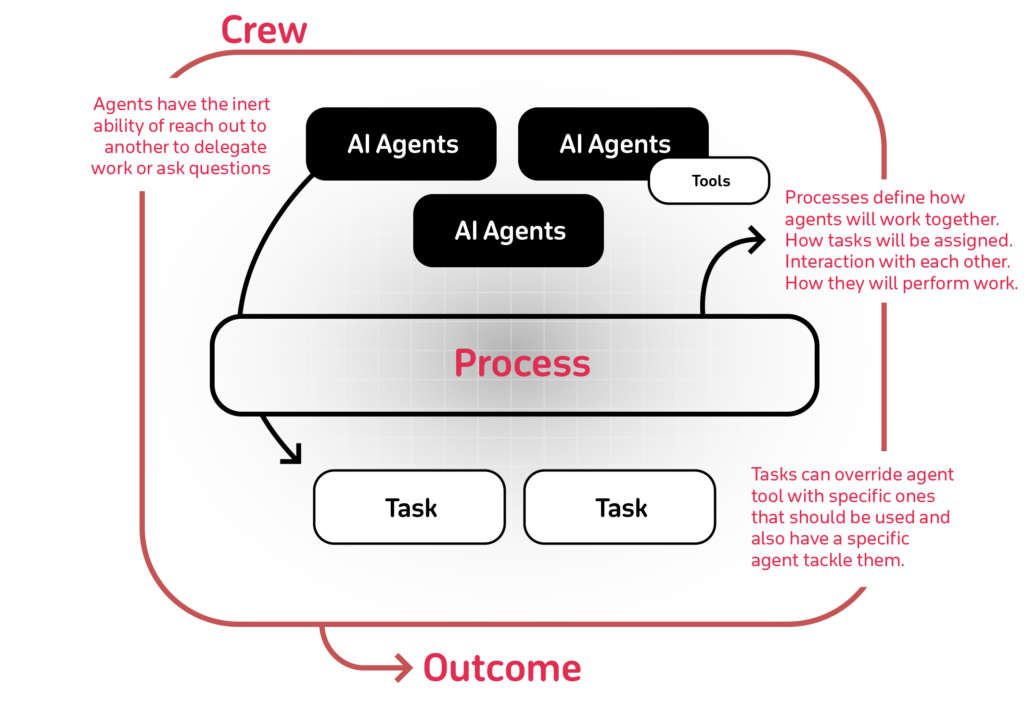
- CrewAI – Easiest for role-based multi-agent teams. Perfect for beginners tackling repetitive collaborative tasks.
- AutoGen (Microsoft) – Excellent for conversational multi-agent systems.
- No-code options (n8n, Dify, Langflow, monday.com Agent Factory) – Ship in minutes if you don’t code.
Quick decision guide:
- Need full control & production reliability? → LangGraph
- Want fast multi-agent collaboration? → CrewAI
- No coding? → n8n or Dify
Step-by-Step: Build Your First Autonomous AI Agent with CrewAI (Recommended for Beginners)
CrewAI is the fastest way to get a production-grade agent running for repetitive tasks. Here’s the workflow using their official quickstart pattern.
Step 1: Setup
Bash
pip install crewai 'crewai[tools]'
crewai create flow my-repetitive-task-agent
cd my-repetitive-task-agent
Add your API keys to .env:
text
SERPER_API_KEY=your_key      # for web search
OPENAI_API_KEY=your_key
Step 2: Define the Agent (role-based)
In src/…/config/agents.yaml:
YAML
researcher:
  role: Senior Research Analyst
  goal: Conduct thorough, up-to-date research on {topic} and compile a professional report
  backstory: You are an expert analyst who always cites current 2026 sources.
Step 3: Define the Task
In tasks.yaml:
YAML
research_task:
  description: Research the latest developments in {topic} for 2026. Use web search. Produce an 800–1200 word markdown report.
  expected_output: Professional markdown report with sections: Key Trends, Tools/Companies, Implications, Sources.
  agent: researcher
  output_file: output/report.md
Step 4: Wire the Crew & Flow (the autonomous engine)
Example content_crew.py (simplified from official docs):
Python
from crewai import Agent, Crew, Process, Task
from crewai.project import CrewBase, agent, crew, task
from crewai_tools import SerperDevTool

@CrewBase
class ResearchCrew:
    @agent
    def researcher(self) -> Agent:
        return Agent(
            config=self.agents_config["researcher"],
            tools=[SerperDevTool()],
            verbose=True
        )

    @task
    def research_task(self) -> Task:
        return Task(config=self.tasks_config["research_task"])

    @crew
    def crew(self) -> Crew:
        return Crew(
            agents=self.agents,
            tasks=self.tasks,
            process=Process.sequential,
            verbose=True
        )
Run it:
Bash
crewai runThe agent autonomously researches any topic you pass, writes a full report, and saves it—every single time you trigger it. Perfect for weekly competitive analysis or market research.
An autonomous AI agent is a software system that:
Perceives inputs (user requests, data, APIs),
Reasons and plans next steps,
Uses tools (web search, databases, email, spreadsheets),
Acts and observes results,
Loops until the goal is achieved,
Remembers context for future runs.
Best Practices for Reliable, Production-Ready Agents
When you start, begin with something. Do one task that you can repeat over and over again. This is the step.
Then you can add memory and access to company information so your agents know what is going on.
You should also put in place some rules to make sure everything is working correctly. This means checking the output and making sure a human has to approve things.
You need to watch what is happening and see how things are going. You can use tools like LangSmith or Langfuse to help you do this.
Try not to spend much money. Use models when you can and set a budget for how many tokens you can use.
The important thing is to keep everything safe. Never let your agents access information without permission. Use credentials that only let them do what they need to do.
Test your agents’ performance before you start using them. Try to think of as many different situations as you can and see how they handle them. You should test at least 50 different scenarios.
Common pitfalls to avoid:
- If you are not clear about what you want your agents to do, they might give you unexpected results.
- If you do not plan for things to go wrong, your agents might not know what to do.
- If you try to do too much at once, it can be hard to make progress, and things might not work out.
Deployment & Scaling Options
Cloud: CrewAI AMP, Vercel, AWS Bedrock, Azure
AI Self-hosted: Docker + Ollama for local LLMs
Enterprise: Integrate with your existing tools (Slack, Gmail, Notion, ERP)
The Future of Autonomous Agents
We need to work with MCP, which is the Model Context Protocol, to make things work better. This means we have to make sure that the information we get back from our actions is good and helpful. We also need to have places where agents can trade things with each other. The people who will do well are the ones who think of agents as coworkers they can trust, not as things to try out.
FAQ: Building Autonomous AI Agents
Q: Do I need coding experience? A: No. Start with no-code tools like n8n or Dify. Move to CrewAI/LangGraph when you need more power.
Q: How much does it cost to run? A: $0.01–$0.50 per complex task with GPT-4o. Optimize with smaller models and caching.
Q: Are these agents truly autonomous? A: Yes—with proper guardrails and memory they handle end-to-end workflows without human input.
Q: Which framework should I learn first in 2026? A: CrewAI for speed, LangGraph for production reliability.
Q: Can agents handle my company’s private data? A: Yes—use local LLMs or private vector stores with strict access controls.
Save this guide, share it with your team, and start automating today.